Home Inspection App

Hear me talk about this project:
Lead product designer
June 2023 - Sept 2023
Project Manager, Product Owner, On and off-shore development teams, 10+ stakeholders
Problem
Field Project Managers (FPMs) were forced to use a third-party iPad app for property inspections that didn’t sync with Lessen’s internal ecosystem. This created a massive manual overhead, requiring users to conduct onsite inspections and then manually re-enter all data into desktop software later. The existing internal app was outdated and lacked the critical features needed to support the field workflow.
Results
I successfully migrated the property scoping process into an in-house iPad tool, eliminating the need for third-party software and manual data re-entry.
The new tool streamlined the inspection-to-submission pipeline, allowing FPMs to conduct room-by-room audits, flag repairs, and submit scopes directly to the client portal from the field.
By introducing a persistent side navigation and pre-populated area templates, I reduced the cognitive load for managers, ensuring required inspections were completed accurately and synced in real-time with the central database.
98%
Task success rate during final user testing
4 hours
Estimated time savings per user a week
100%
User preference over competitors
Process
Research & Competitive Analysis
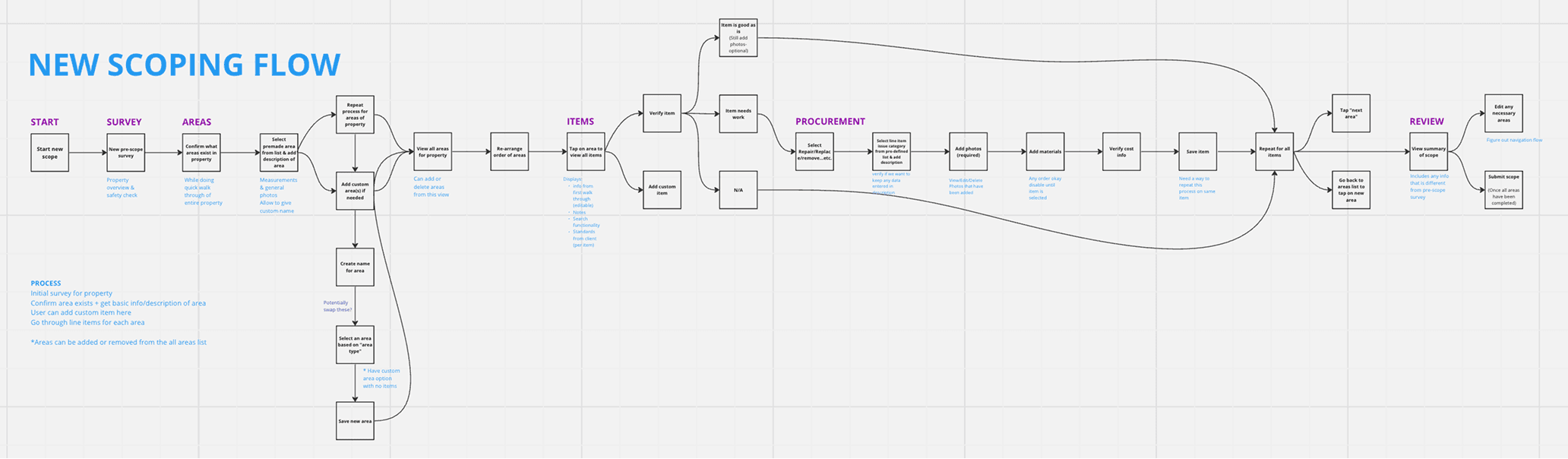
Audited the third-party competitor app and interviewed FPMs to identify "must-have" features versus friction points. I also worked with stakeholders to map out new "Procurement" requirements being added to the FPM role.
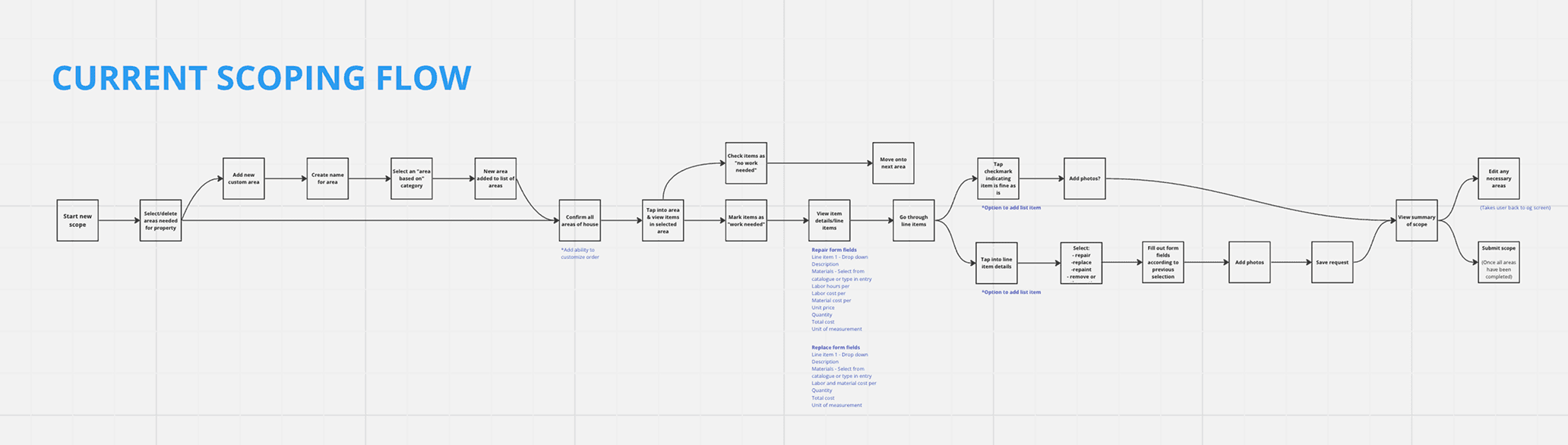
Journey Mapping & Flow Optimization
Mapped the end-to-end property journey, from arrival to submission. I translated stakeholder requirements into a digital process that balanced traditional inspection tasks with new job responsibilities.
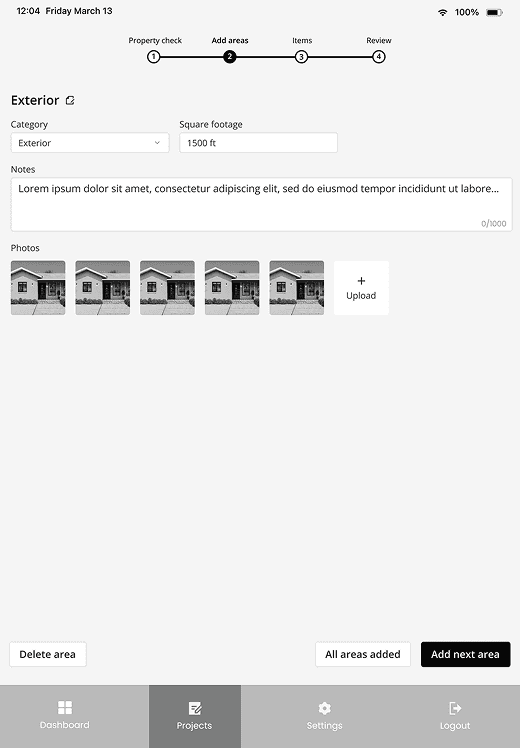
Prototyping & Navigation Pivot
Initially designed a linear progress bar, but pivoted to a persistent side navigation after realizing the iPad’s screen real estate allowed for a more flexible, non-linear way to access different rooms and property areas.
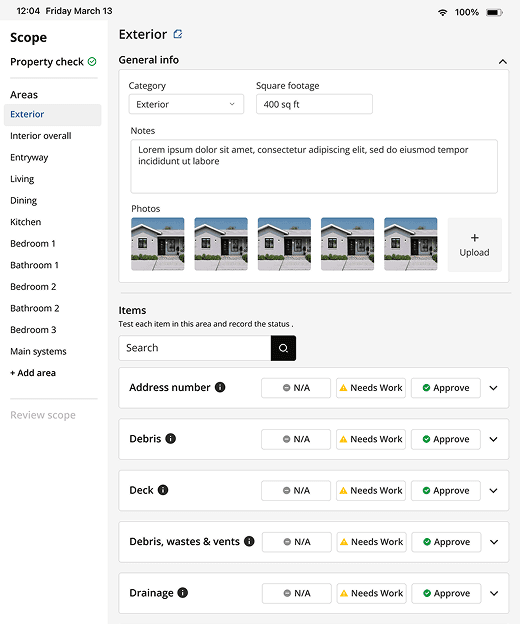
Usability Testing
Conducted two rounds of testing with real FPMs. Feedback led to critical UI updates, including required-field indicators for each room, multi-photo upload capabilities, and clearer auto-save messaging to build user trust.
Design System Scaling
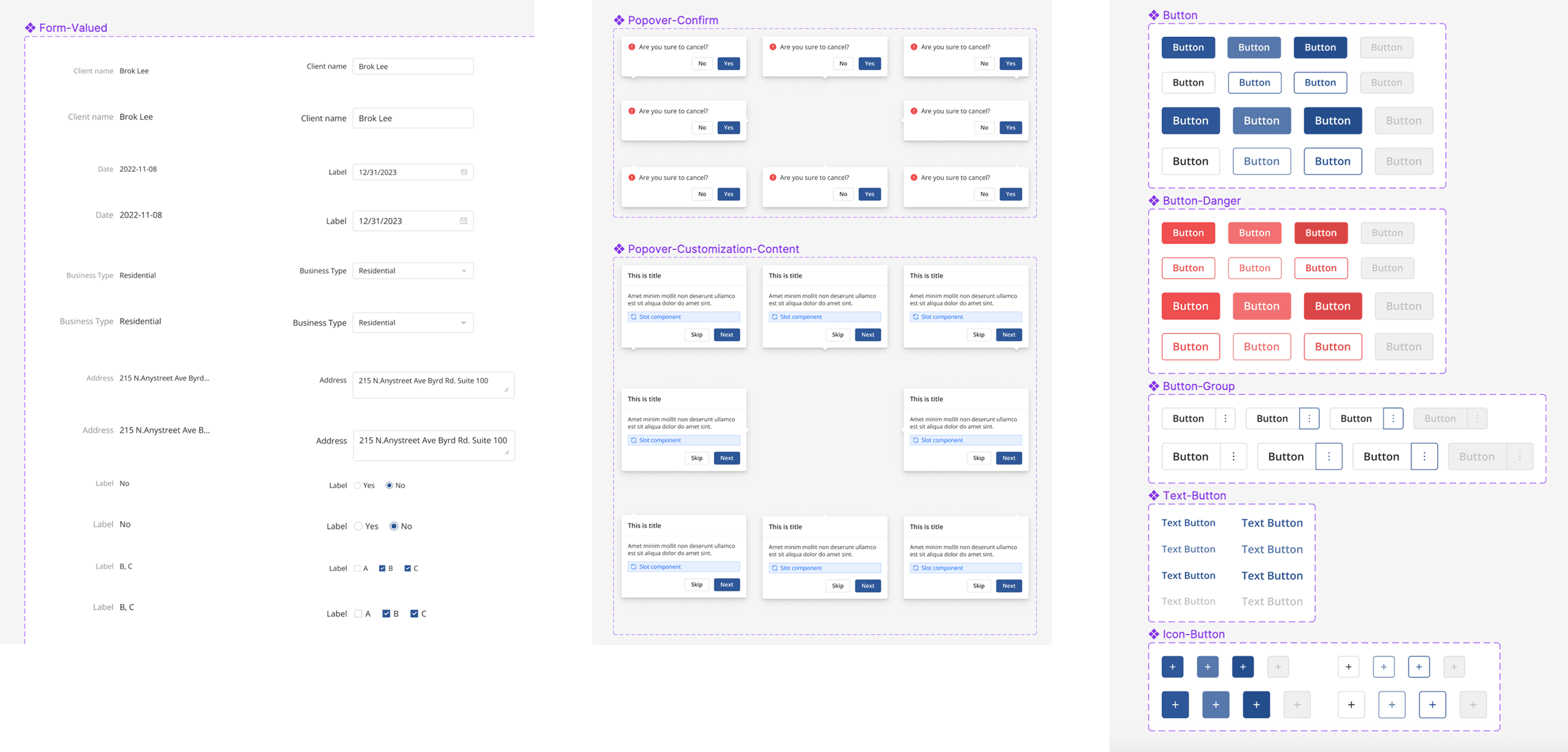
Since the mobile design system hadn't been released, I adapted desktop components for touch-targets and mobile layouts, establishing a cohesive visual language that aligned with the broader company rebrand.
What I Learned
Sometimes you don’t need to re-invent the wheel entirely. Going into this I really wanted to do something different with the UX/UI than what our main competitor was doing. Once I tested out the wireframes, I quickly learned that some of what the competitor had was well thought out and made sense in the specific scenario I was designing for. My user testing confirmed that keeping a similar design was what the right experience to include.
This project was also a great experience for me to embrace the process of iterating. The “Needs work” section saw a lot of iterations through the design process and post launch, and I learned to go along with all the changes while pushing back when necessary.