
Hear me talk about this project:
Lead product designer
2022
Developers, Project Manager, Account Director (Internal), Program Manager (Client)
Problem
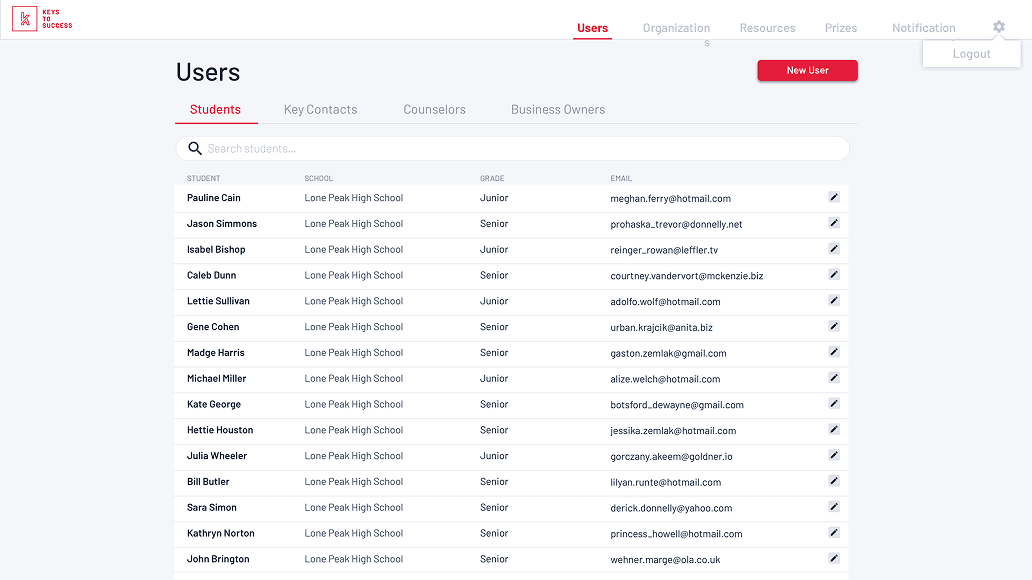
The administrative portal for Keys to Success—a platform helping students navigate higher education—was functioning like a static website rather than a functional control panel. Critical features were buried deep in the architecture, and the default landing screen (a user table) failed to provide the high-level oversight required by Super Admins and District stakeholders.
Results
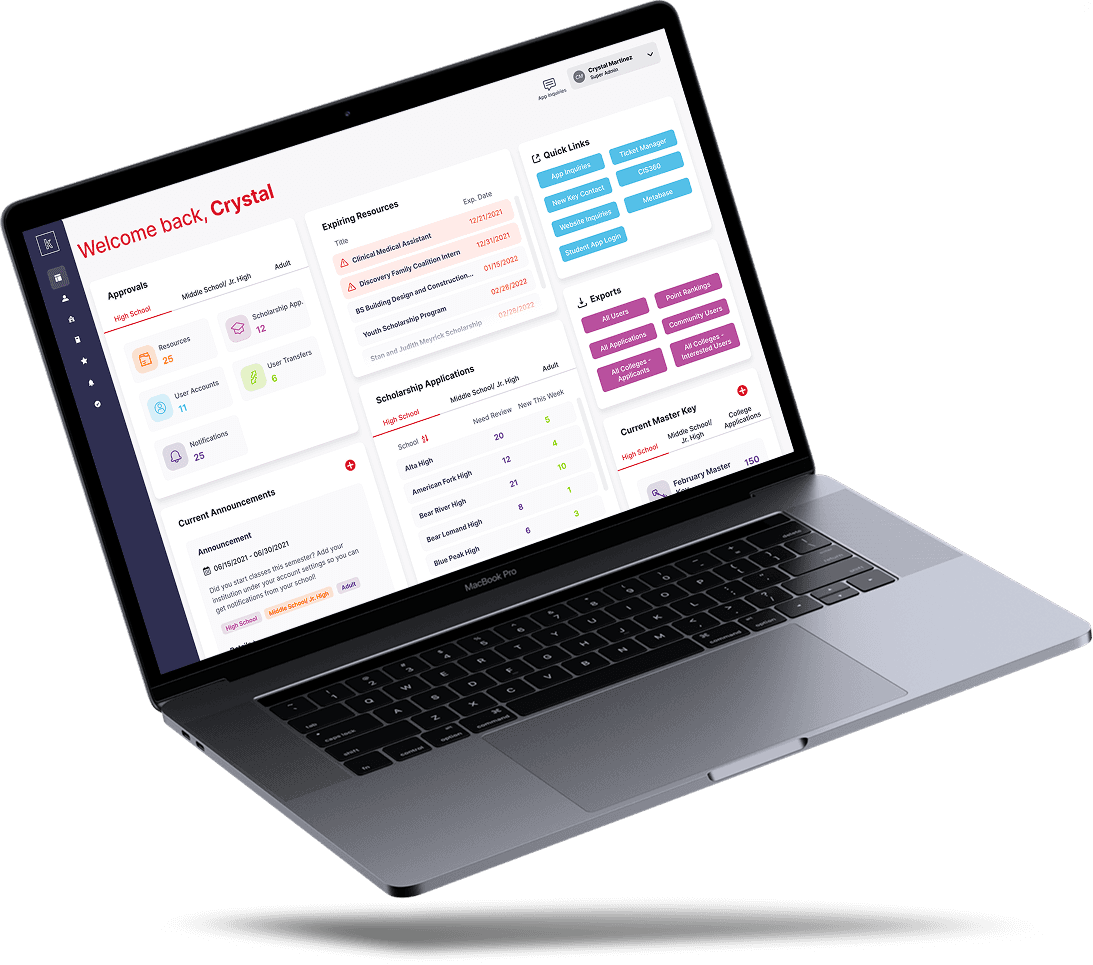
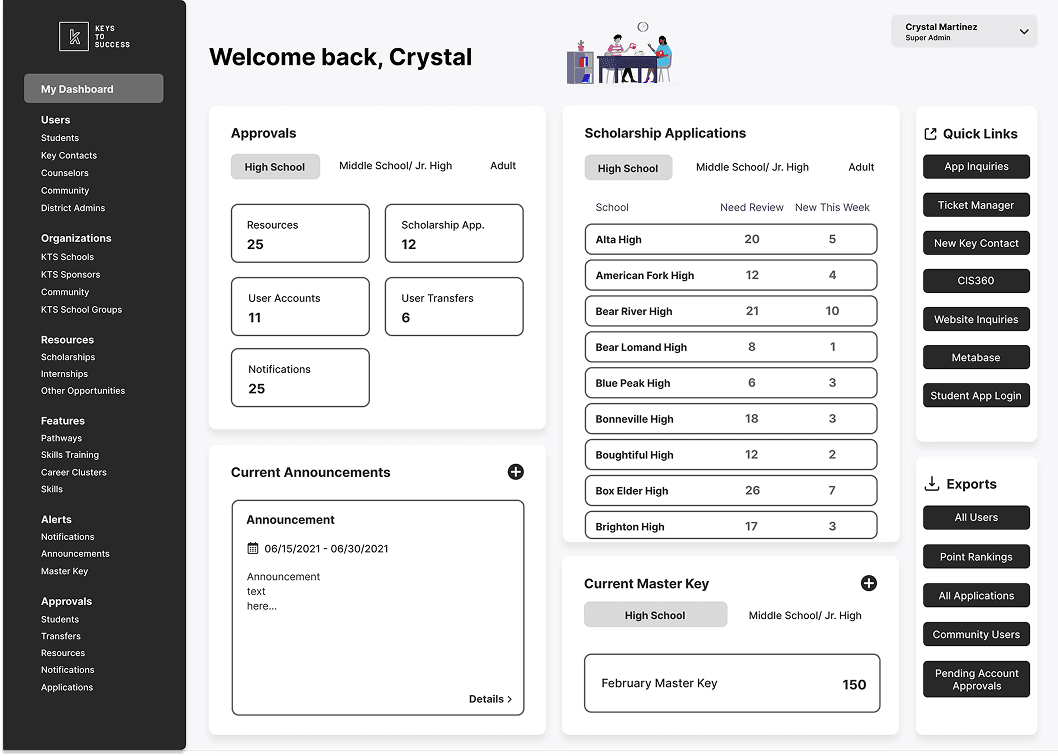
I transformed the administrative experience by replacing the legacy landing page with a centralized, data-driven Control Center.
The new dashboard surfaced most-used features—including scholarship tracking, approval queues, and live announcements—directly on the home screen.
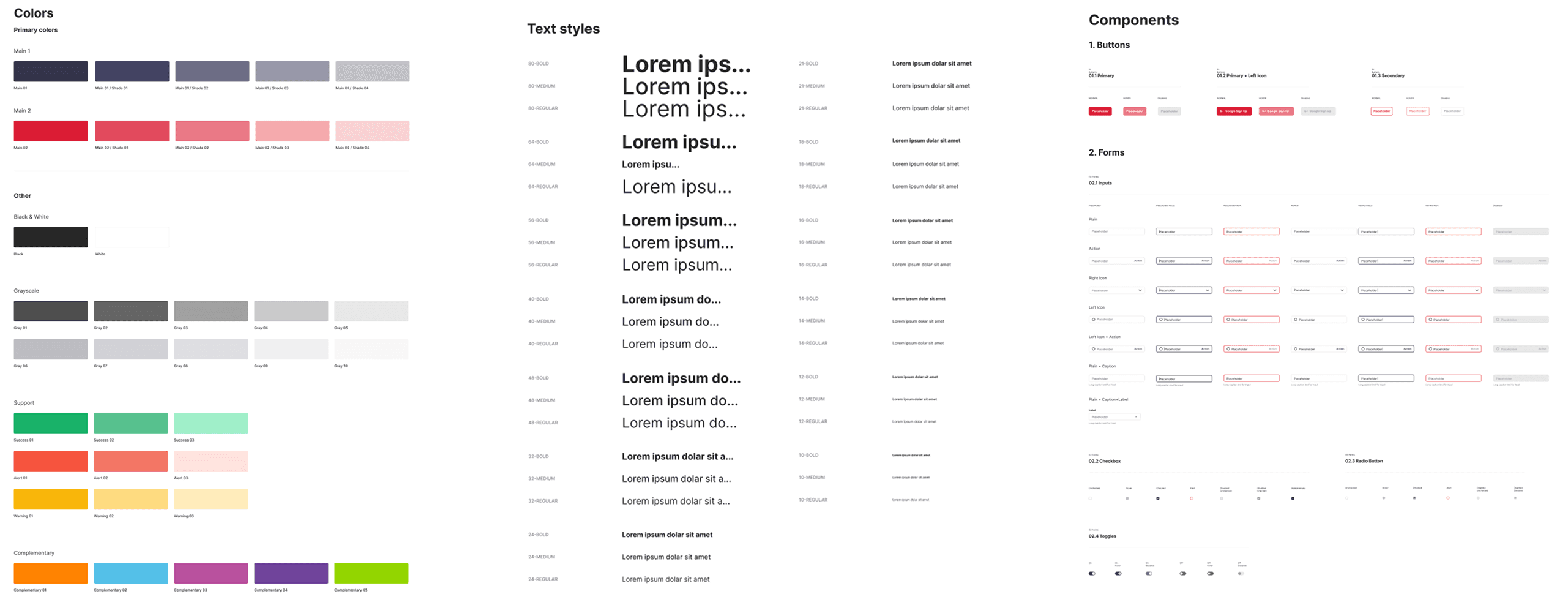
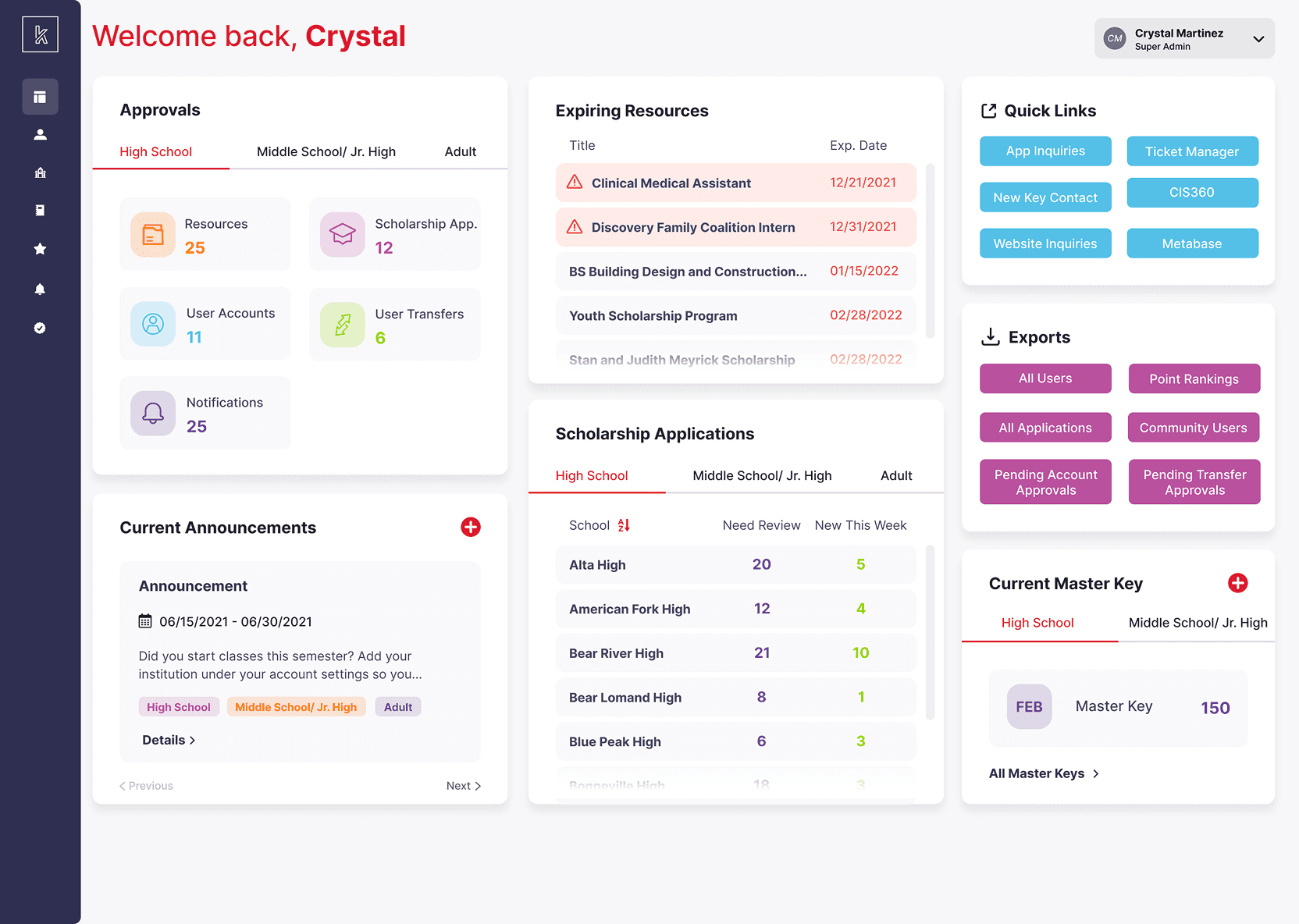
The success of the initial "widgetized" dashboard proved the value of a UX overhaul, leading to an approved budget for a full UI refresh. This ultimately resulted in a 100% redesigned interface, a new collapsible navigation system, and a custom design system that increased administrative efficiency and inspired the client to expand the platform's feature set.
25%
Increase in screen real estate
50+
New components for design system
100%
Budget increase after phase 1
Process
Stakeholder Discovery & Feature Auditing
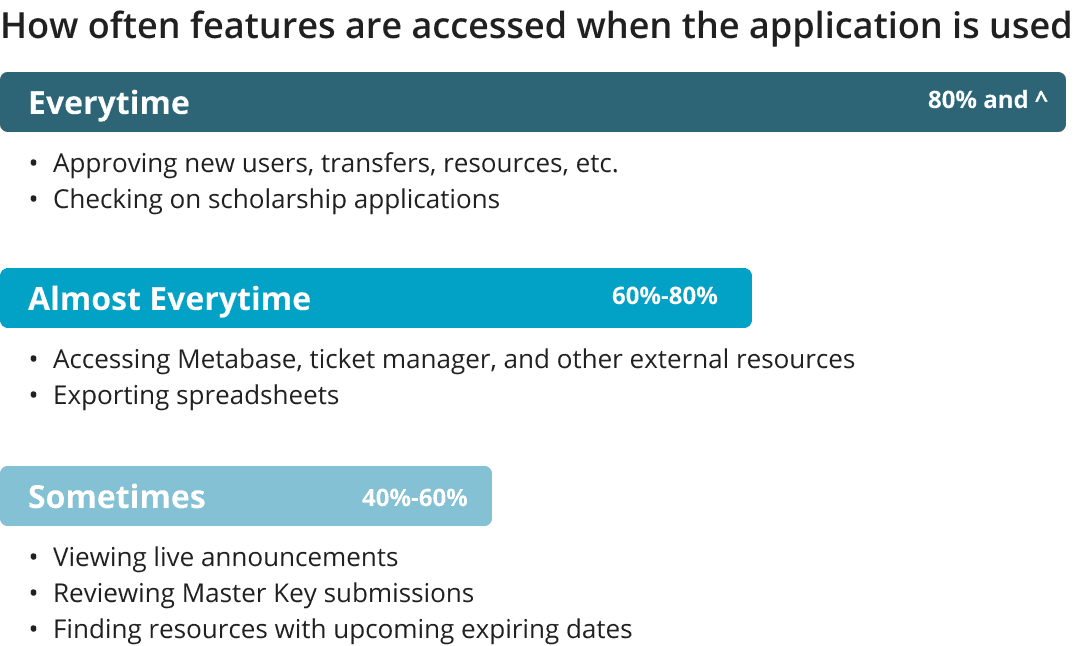
Collaborated with the KTS team to identify the "most-used" features. I audited the buried architecture to determine which tasks needed "snapshot" views on the new dashboard.
Phased Implementation
Phase 1 (Low Budget): Built a "homepage" within the existing UI constraints using widgets to prove the concept and save immediate user time.
Phase 2 (Full UI Refresh): Once the budget was secured, I redesigned the entire application from scratch, shifting to a more efficient left-hand collapsible navigation to maximize screen real estate.
Design System Creation
Initially designed a linear progress bar, but pivoted to a persistent side navigation after realizing the iPad’s screen real estate allowed for a more flexible, non-linear way to access different rooms and property areas.
Persona-Based Access Control
Designed a modular dashboard that automatically adjusted based on user permissions—hiding or showing widgets for Super Admins versus District or School Admins to maintain a clean, relevant experience.
Iterative Refinement
Corrected navigation friction by implementing a highlight-bar tab system that saved vertical space and was subsequently adopted across all internal pages of the application.
What I Learned
This product was a great space for me to explore the capabilities of strategic iteration both in my design process and in the product itself. By delivering a high-value 'widget' solution within a restrictive budget, I was able to demonstrate enough ROI to win the client's trust for a total platform redesign.
This project also sharpened my ability to design for complex, permission-based ecosystems where a single dashboard must serve three distinct personas without becoming cluttered.
Ultimately, re-addressing the same problem eight months later with a modernized design system showed me the power of decoupling branding from UX to create a truly scalable, professional tool.